Stock and purchase orders
Keeping count of what you carry, booking it onto jobs, and ordering more from your suppliers.
Stock, in the menu, is the list of what you keep on hand: how many, where it lives, what it costs you and what you charge for it.
Your stock list
- Add an item with how many you have, and Alert below: when the count drops to that number, the item is flagged as running low.
- Add a photo, your supplier, their code for it, their email, phone or website, how many you order at a time, and how many come in a pack.
- Use − and + beside an item to change the count as you use it or restock.
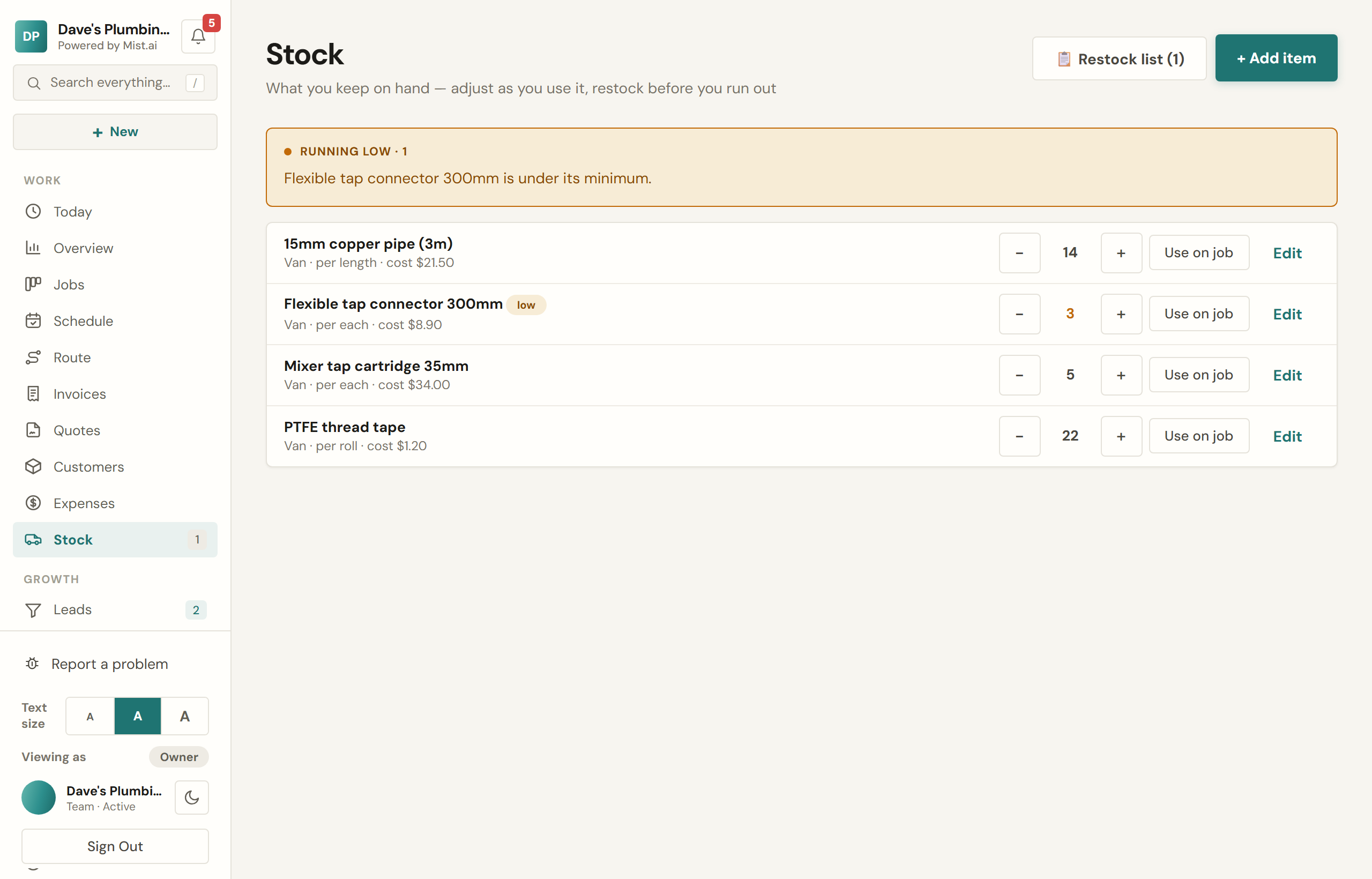
Using stock on a job
Use on job takes it off the count. Pick the job and, when the item has a cost, that cost goes onto the job as materials, so the job's profit is right. You can also take it off without a job.
Ordering more
When items are running low, Restock list lists them, and Create purchase orders raises draft orders for them, one for each supplier, using how many you order at a time and the pack size. An item with no supplier saved is left off, and the screen names it.
Purchase orders
Orders live under Expenses → Orders, and on the job they are for. You can raise one by hand too.
- Draft: nothing has been sent.
- Ordered: emailed to the supplier with the order attached, or marked as placed if you ordered another way. You can also download it to send yourself.
- Delivered: items from your stock list go into your count.
- Billed: when the supplier's bill comes, Record the bill turns the order into an expense, once.
Your crew and stock
Someone who sees only their own jobs, such as an Installer, can see the list, change counts and use stock on their own jobs, but cannot add or change items. Anyone you have not let see money and prices never sees what an item costs or the supplier's ordering details.