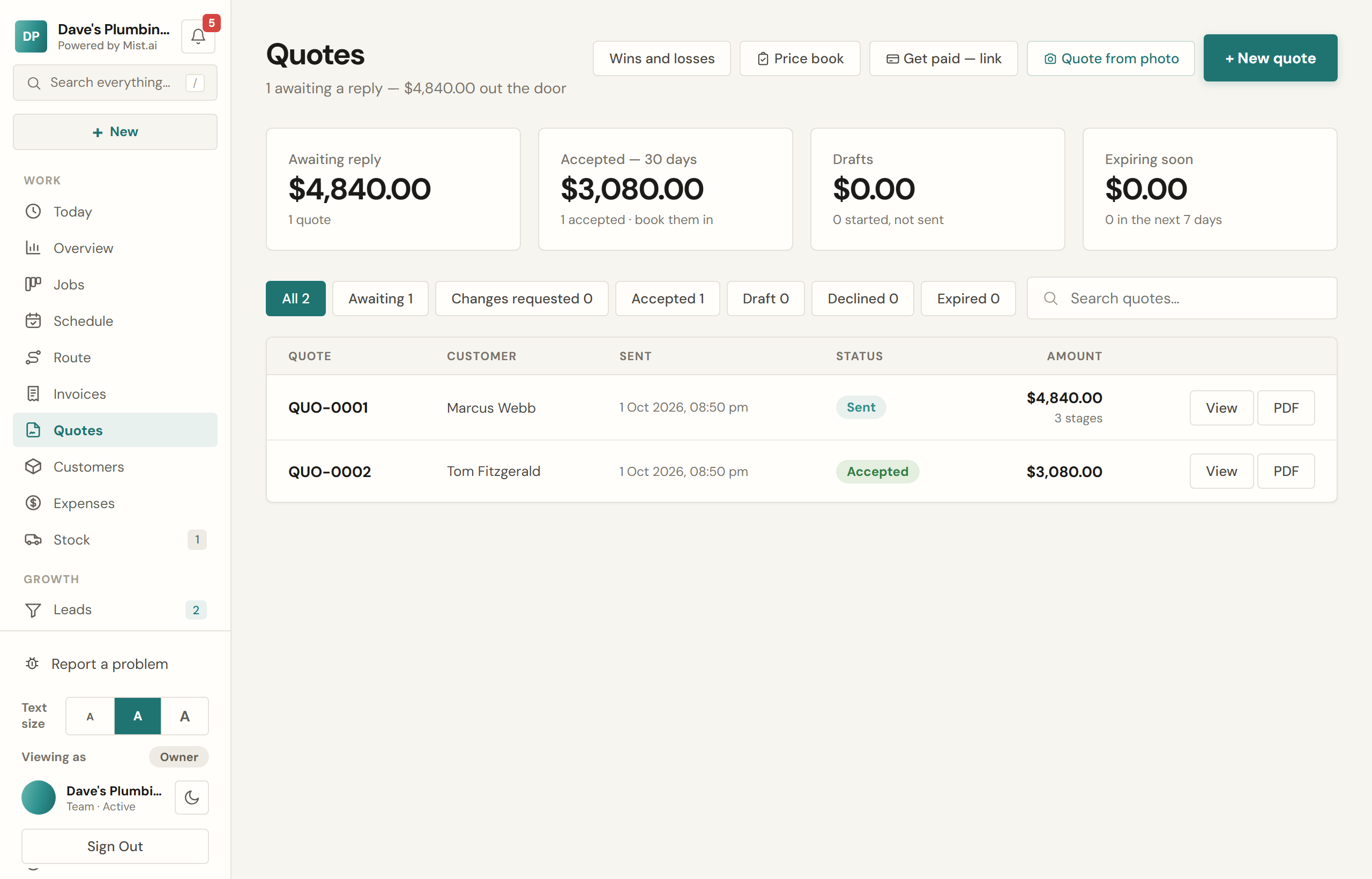
Quotes
Building a quote, sending it, and getting it signed and paid without a second visit.
A Mist quote is a document the customer opens on their phone, reads, and accepts — with a deposit if you asked for one. It carries your logo, your colours and your terms.
Building one
Add a line per item: what it is, how many, and the price. If you keep a price book, typing the first few letters fills the rest in. You can show a struck-through list price beside the real one so the customer sees what they saved.
- Optional extras. Mark a line optional and it sits on the quote as a tick box. It is not in the total until they choose it, and the totals recalculate when they do.
- Good, better, best. Offer two or three packages and let them pick. The recommended one is the headline figure.
- Payment stages. Split it — a deposit on order, a payment on booking, the balance on completion. Each stage is payable on its own.
- When each stage is due. Each stage says when it falls due: on acceptance, once the stage above is paid, when the work is booked, a number of days before the work, on the day of the work, when the work is done, or on a date. You set it with the Due button on each stage of the quote. If your business has the measuring pads, your usual choices live in My rates under When you get paid. The customer sees a Pay button only once a stage is due. Paying early is never refused: a customer can pay by bank transfer before then, or you can use Ask for it now. A stage due when the work is booked goes back to not due if the work comes off the diary or the job is cancelled; moving the day changes nothing. On an accepted quote, Ask for it now makes a stage due straight away, and can text or email the customer.
Sending it
Email it or text it. The customer gets a link rather than an attachment they have to find again later. You can also copy the link and send it however you like.
They sign it themselves
Accepting asks for their full name typed in, which is recorded on the quote and on the PDF. If you asked for a deposit and Stripe is connected, accepting takes them straight to payment. Without Stripe it marks the quote accepted and you collect the deposit your own way.
If your customers pay a deposit by bank transfer, you can make the deposit their acceptance instead: in Settings → Quotes & invoices, under How customers accept a quote, choose Deposit confirms the order. The customer then presses Confirm my order and gets your bank details with the quote number as the reference, and the quote reads "awaiting deposit" until you mark the money in. It applies to quotes already sent, not just new ones.
Then the work gets booked
How the work gets a time once a customer accepts is your choice, in Settings → Booking & jobs → Booking the work, under Who chooses the time?
- They pick from our free times. Straight after accepting, the customer picks a time for the work from your diary, on the quote itself.
- We book it and let them know. The quote page tells them you will be in touch to book the work.
- We ring them, then book it. The quote page tells them you will ring to book it.
The card's Start from: buttons — Same-day service, Made to order, Projects, We book it and Regular rounds — set its choices to suit that kind of work, and you can change any one after. Each change saves on the spot.
When customers pick, When they pick decides what happens next. With It comes to us to confirm, their time comes to you as a request in Bookings, and it is held for them until you answer: confirm it and the job goes on that day, or decline it and they are asked to pick another. They are told either way. With It goes straight onto the job, it is booked without asking you.
- You give the job a day yourself while their time is waiting: they are told the day you booked, and that it is not the time they asked for if it is not.
- Nobody answers before their time comes: the request lapses, they are asked to pick another time, and you get an email.
- You cancel or delete the job: the request closes and the time is freed. They are not messaged, since whoever called the job off knows why, and you get an email in case they still need to hear from you.
The first time they can pick is at least your Notice you need away. It starts at your trade's usual — three weeks for curtains and blinds, which are made to measure, and a couple of days for most trades — and you can change it on the same card.
If your customers accept by paying the deposit (above), no times are offered until the deposit is in: the quote page says you will be in touch to book the work once it is.
Afterwards
An accepted quote with no payment stages becomes an invoice in one tap, → Invoice, carrying its lines across. A quote paid in stages is never invoiced as one whole job: each stage gets its own tax invoice when it is paid (the next section). A quote with no answer gets one follow-up with the link again, at 9am: the morning after the customer opens it without accepting, or five days after you send it if they do not open it. It goes by text, or by email when they have no mobile or the text cannot go, and never after you mark it lost.
Payment stages and their invoices
On a quote paid in stages, each stage gets its own invoice the moment it is paid, by card on the quote or when you mark it received. It is marked paid, so there is nothing on it for the customer to pay, and it is a tax invoice if your business is registered for GST. Mist does not send it by itself: under the paid stage, press Text or Email, or use the line on Today that lists the invoices ready to send. In Invoices it is tagged Stage, and the last stage's invoice is the final one.
There is no one invoice for the whole job on a quote paid in stages: → Invoice is not offered on it, and its job offers Payment stages on the quote in place of Invoice this job. A whole-job invoice beside the stage invoices would count those payments twice.
Marked a stage received and the money never came? Press Undo on the stage, then Take it off. Its invoice is cancelled with it. A stage paid by card through Mist cannot be taken off this way: refund it instead.
Changing an accepted quote
An accepted quote is read-only, so what the customer signed stays on record. When they change their mind, press Make changes: in the green Accepted banner on the quote, on the job's Quote line, or on the order. What you change becomes the next version, like QUO-0002 v2, and nothing reaches the customer until you update the quote. When you do, Mist asks how they agreed:
- Send them the changes to agree. They see what was added, taken off and changed, what they have paid so far and what is left, and agree on their phone. You get a ping when they do.
- Agreed by phone. Record who agreed and on what day. Nothing is sent unless you send them a copy.
Money already paid is kept. If the new total is bigger, the extra is spread over the stages still to pay. If it is less than they have already paid, the difference shows as owed back, and you choose what happens to it: Refund by card through Mist, Refunded outside Mist, or Keep as credit for their next job. You can choose later; until then it shows as owed back.
A customer can ask for a change after accepting too, with Request a change on their quote. You get an alert, and the accepted version stands until you send them the changes. If the job's order was already marked ordered, Make changes warns you first, and the job shows Changed after ordering until someone presses Seen.
The customer pulled out
A quote that was accepted, or has money paid on it, can't be deleted: it is the record of what was signed and paid. Open it and press Cancel — customer pulled out instead. It comes off your active quotes, its job is cancelled, and nothing more is chased or sent for it. If money was paid on it, say whether you kept it or refunded it to them outside Mist: money you kept stays in your income, money you refunded comes out of it. Mist sends no money back and tells the customer nothing; their quote link just says it was cancelled. You can undo it for 10 minutes. A quote nobody accepted and nothing was paid on can still be deleted.
Wins and losses
Customer said no? Open the quote and press Mark lost. Only you see it; their quote stays as it is. Mist then asks why, in one tap: Price, Timing, Went with someone else, No reply, Job changed or Other. The reason is optional. A sent quote that has had no answer for 6 days asks the same question ("Gone quiet. Any idea why?"), and saving a reason there marks it lost. Reopen puts a lost quote back.
A quote marked lost gets no automatic follow-up until you reopen it. A quote that passes its valid-until date with no answer counts as lost too.
Your quotes — the Wins and losses button on Quotes, and a card on Today — shows how many quotes you sent, won, lost and still have open, each with its value, how many days a quote takes to accept on average, and why quotes were lost. It lists your biggest open quotes with no answer yet as worth a call this week, with Call and Send a nudge (a quote's one follow-up, if it has not had it).
Your win rate is quotes won ÷ quotes won or lost; open quotes are not counted. It shows once 5 quotes in the month, or in the last 3 months, are won or lost. Each quote counts in the month it was sent. Only the account owner sees Your quotes and marks quotes lost.