Leads and bookings
Where enquiries land, how they are scored, and turning one into a job.
Anything the AI captures that is not yet a booking becomes a lead — the list of people who want something from you and have not been dealt with yet.
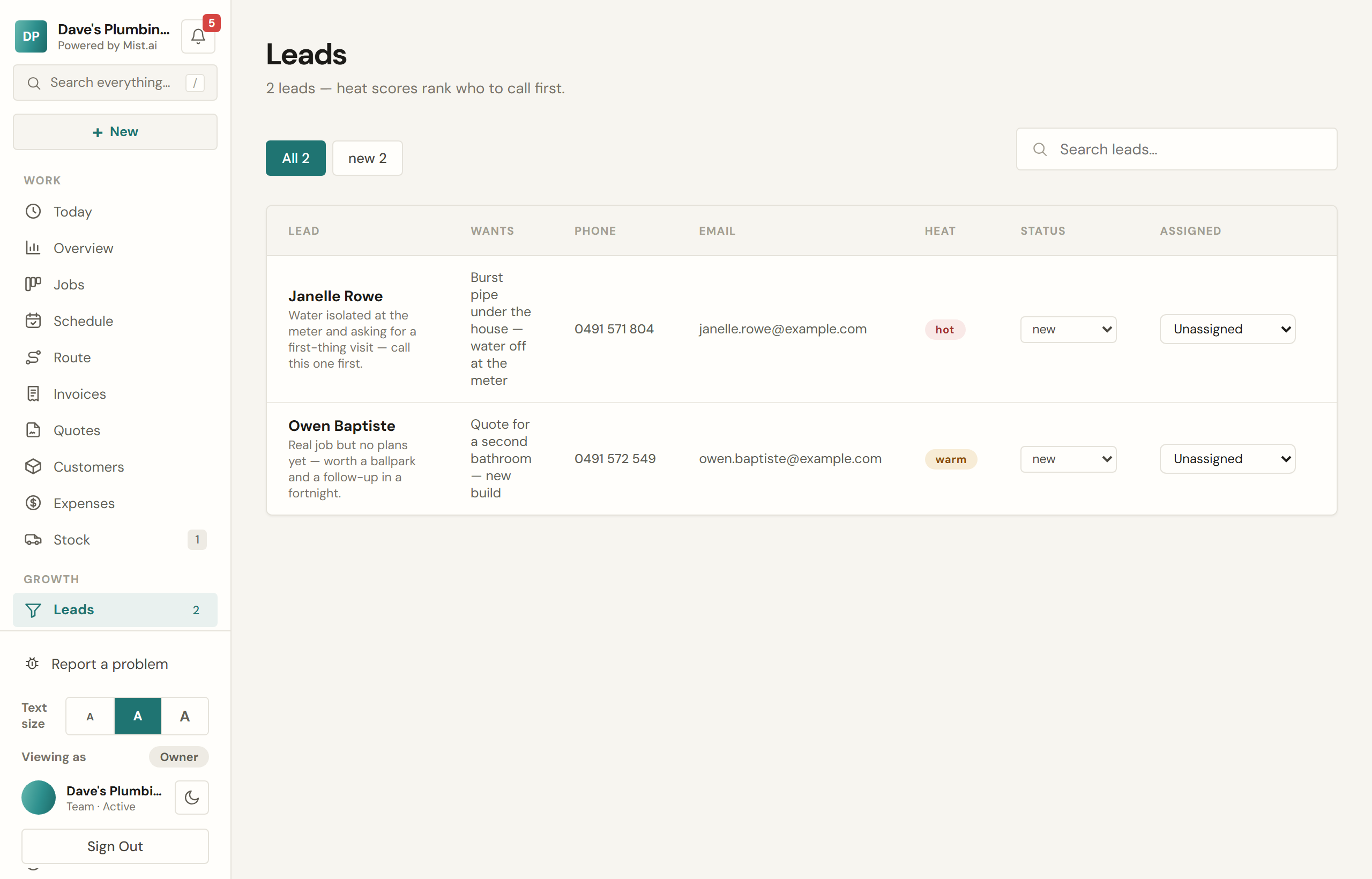
Hot, warm and cold
Each new lead is read once and scored hot, warm or cold with a one-line summary of what they actually want. It reads urgency and intent from what they said: a burst pipe scores differently from somebody pricing a job for next winter.
Working a lead
- Tap the number to ring them, or the address to write.
- Follow up Pro and up drafts a text and an email from the lead’s own details and the chat transcript. You edit it before anything sends — it is a draft, not an outbox.
- Move the status as you go: one you have rung is contacted, one that turns into work is converted.
- Turn into a job carries the customer, their contact details and what they asked for onto a job, and marks the lead converted.
Bookings
A booking is a time a customer has taken — from the chat, from your booking page, or on a quote they accepted. Confirming one creates the scheduled job and texts the customer to say they are locked in, with a link they can use to move or cancel it themselves and a link to the job's own page. A customer who books in the chat or on your booking page and gives an email address is also emailed that move-or-cancel link straight away.
A time a customer asked for after accepting a quote shows the quote under "Booked by", and its job is already on your board. Confirm puts the job on that day. Decline frees the time and sends them back to their quote to pick another. They are told either way, by text, or by email when there is no mobile. Deleting a waiting one tells them too, unless its job was cancelled or deleted. Only you, or someone you let book work, can confirm or decline one.
Your booking page
Every account gets a shareable booking link showing only genuinely free windows, in your brand colour, working properly on a phone. Put it in your email signature, on a card, in a Facebook post. The link and a copy button are in Settings → Booking & jobs.
If you have services listed in Settings, the customer can pick one. If you have none, the page asks "What do you need done?" and will not take the booking without an answer, so every booking says what the job is. The text Mist sends you about a new booking names the job and quotes the start of anything they wrote under "Anything we should know?", and the Bookings screen shows their words under the job.