Today and the run sheet
The screen for the van: what is on, in what order, and the buttons that matter on site.
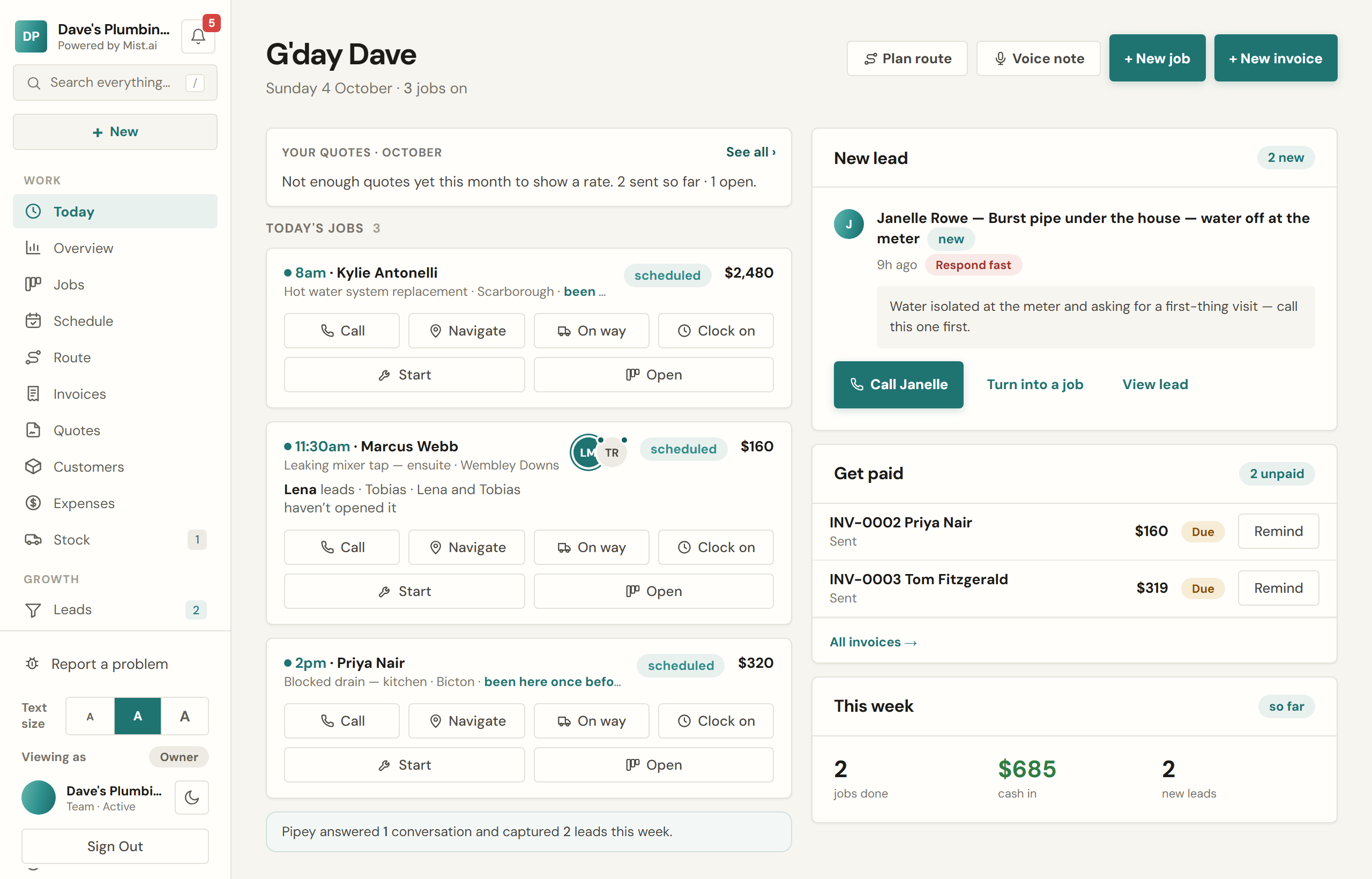
Today is built for a phone in a work vehicle. It is the day's jobs as big cards in time order, with the five things you actually do on site as buttons rather than menus.
The buttons
- Call — rings the customer.
- Navigate — opens directions to the address in Google Maps.
- On way — asks how long you will be and texts them: "on the way, about 20 minutes". It also opens navigation in the same tap.
- Clock on — starts the timer, and moves the job to in progress by itself.
- Start — moves the job to in progress without opening it. Once it is under way the button becomes Wrap up (below).
What it puts in front of you
- Jobs from previous days that are still open, in a red strip at the top, so nothing rolls quietly forward forever.
- Finished jobs that have not been invoiced yet, with one tap to raise the invoice.
- The day's money and the leads that came in overnight.
- Invoices for paid payment stages that are ready to send, with Send →.
- A text or email about a quote or invoice that did not reach the customer, and why, with Open and Dismiss. It goes by itself once a later one about the same quote or invoice is delivered.
Wrapping up a job
The Wrap up button walks the last five minutes on site: after photos, checklist confirmation, the customer signing on the screen, then the invoice — prefilled from the job, ready to send before you have left the driveway.
Route
Route puts the day's addresses on a map in the order you will drive them. Optimise run reorders the flexible stops into a shorter run, measured in straight lines between stops, while leaving anything with a booked time where it is — a customer told 9am stays at 9am.
Choose whose run to see: everyone's, or one person's. The order you set is kept for that run on the day, so the office and the van see the same order. Past 10 stops, Open in Maps opens the run in legs of 10, because Maps takes 10 stops at a time.
Working with no signal
Clocking on, job statuses, photos, signatures, checklists, forms, expenses and trips all keep working in a black spot. They queue on the phone and send themselves when you have bars again, with the times they actually happened rather than the time they synced. Anything that sends a message to a customer or moves money waits for a connection, and says so.
Staying up to date
When Mist is updated, the app on your iPhone picks up the new version by itself. Come back to it after a minute or more away, with nothing open, half-typed or still sending, and it reloads once to the new version. If you are in the middle of something it leaves you be and shows a strip instead, "A new version is ready.", with a Reload button. In a web browser you only ever get the strip: the page never reloads itself.