Jobs and the schedule
The pipeline, what each status means, and everything that hangs off a job.
A job is the unit of work everything else attaches to — the quote, the invoice, the photos, the hours, the costs. The board is the same work seen as columns; the schedule is the same work seen as a diary.
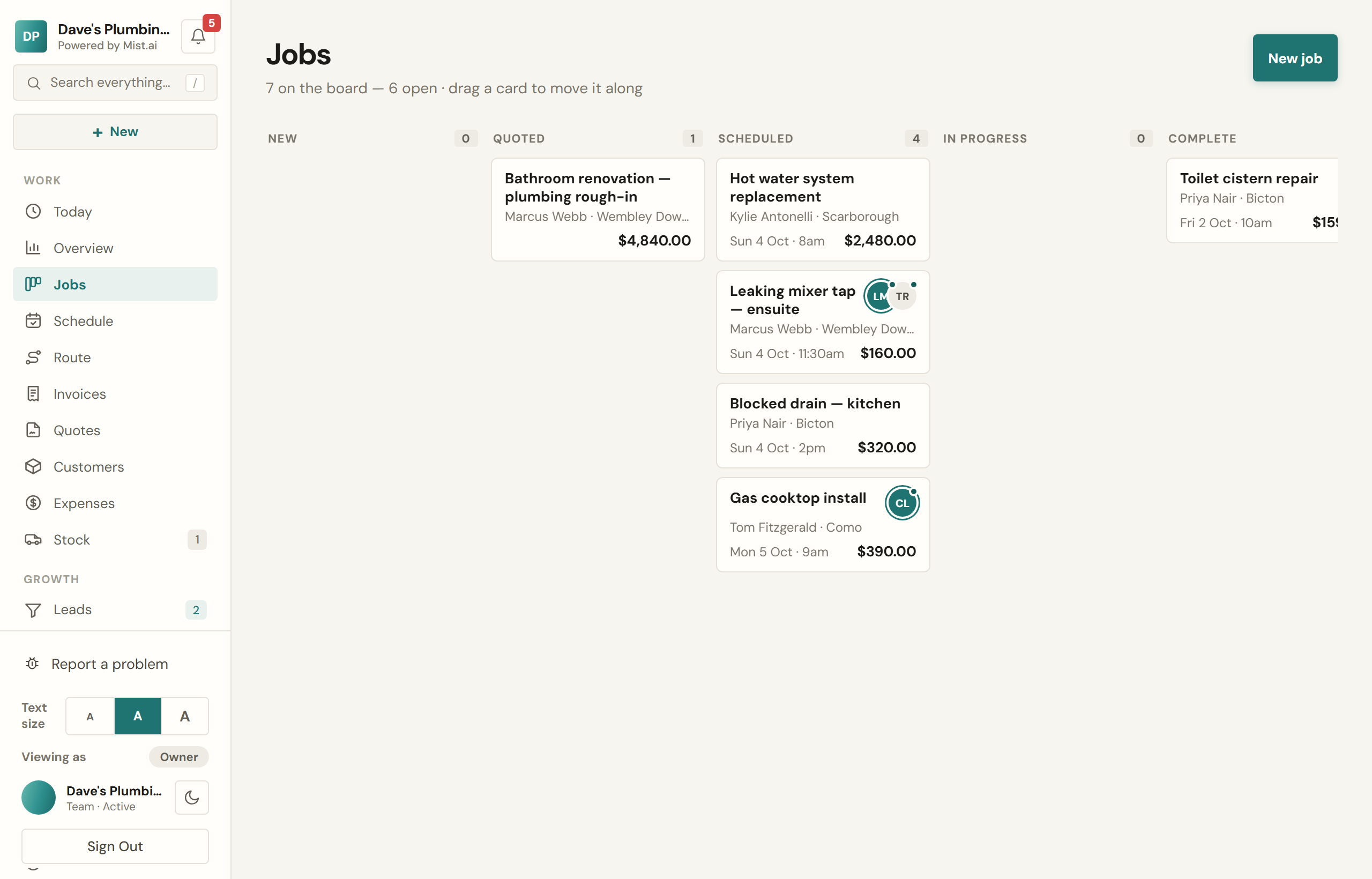
The statuses
Seven columns, and they mean what they say. Drag a card between them, or change the status inside the job.
- New — came in, nobody has done anything with it yet.
- Quoted — a price has gone out and you are waiting.
- Scheduled — it has a date. This is the one that blocks the slot in your diary.
- In progress — someone is on it. Clocking on puts a job here by itself.
- Complete — work finished. This is what triggers the review request.
- Invoiced — the bill has gone out.
- Paid — done.
If you make or order the work after the customer says yes, the board also has two lanes between Quoted and Scheduled: Being made and Ready to book. A job with no date yet moves into Being made as soon as the customer says yes, before anyone marks it ordered. If its quote is paid in stages and the first payment is due when they say yes, it stays where it is until that payment is in or someone marks it ordered (below). It moves into Ready to book when it is marked ready. You cannot drag a card into them.
What lives on a job
- Photos, tagged before or after.
- Checklists — your own templates, ticked off on site, and a completion certificate PDF at the end with who ticked what and when.
- Forms — test sheets, safety records, compliance records, with real field types rather than a text box.
- Files — plans, certificates, whatever the job came with.
- Time — clock on and off, per person.
- Costs — materials and expenses booked against this job.
- A timeline of everything that has happened, including who did it.
Ordered and Ready
For work you make or order after the customer says yes, switch on We make or order the work after they say yes in Settings → Booking & jobs → Booking the work. A job whose quote is accepted then shows three steps: Ordered, Ready and Booked. Press Mark ordered when you place the order and Mark ready when it is in; each step shows the day and who marked it, and Mark not ready or Mark not ordered takes it back.
Add a Ready-by date if your supplier gives you one. It is a guess: only a person marks a job ready, and nothing changes when the date passes, except that whoever is on your Ready to book alert is told it has not been marked ready yet. They are told when a job is marked ready, too. Only you, or someone you let book work, can see and mark these steps.
The schedule
Week or month. Drag a job to a different day to move it, and set how long it will take so the diary blocks the right amount of time — which is what the AI reads when it offers a customer a slot.
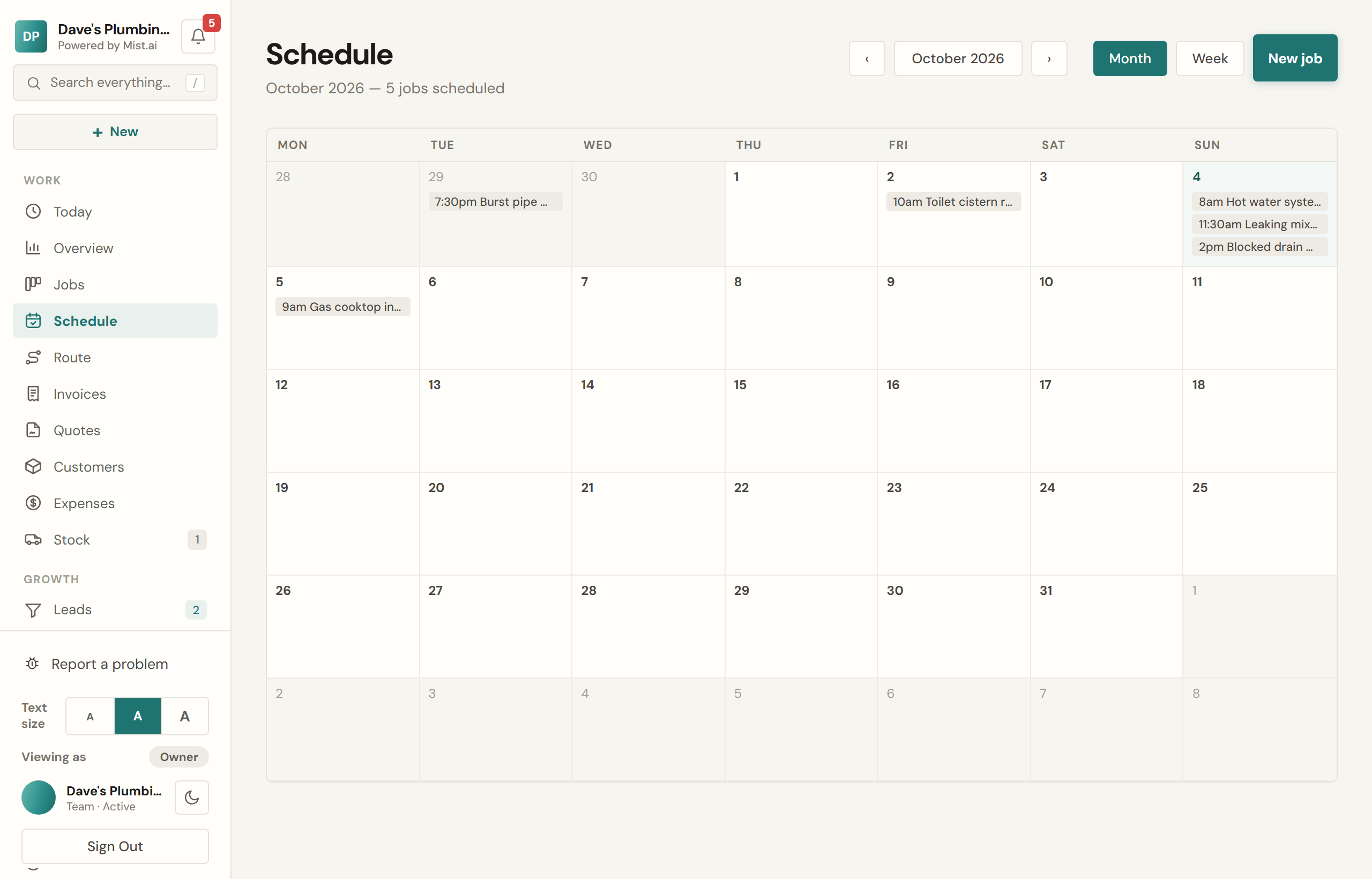
Booking a job in
On the job, Arrival says how the time is given to the customer: an exact time, a 2-hour window, morning, afternoon, all day, or that you will ring ahead. The job shows what the customer will see. A new job starts on the Times we give you chose in Settings → Booking & jobs → Booking the work: 2-hour windows, an exact start time, or just the day. With morning or afternoon, you pick one on each job.
Under the date, a line lists the suburbs already booked that day, and the other days you have work in the same postcode. It reads the suburb and postcode in each address; it does not measure distance.
The first time a job gets a day, Mist asks whether to let the customer know they are booked in: Text, Email or Don't tell. Nothing is sent until you choose. It does not ask for a job booked for today, for repeat or membership visits, or when the customer asked for a time themselves (they hear about that anyway). A text chosen between 8pm and 8am waits until 8am. If the visit is on the day it would arrive, it is not offered as a text: send an email or ring them instead.
Work that repeats
A job that comes round again — a quarterly service, a monthly clean — can be set to repeat every so many weeks. Mist creates the next one a week ahead, on the right date, assigned to the right person.