Campaigns
Writing to past customers who have gone quiet, or to everyone with a tag, and the follow-up that sends itself.
Sending a campaign Pro and up
Open Campaigns on the Customers screen. Pick who it goes to:
- Gone quiet: customers you have not done a job or invoice for in 6, 12 or 18 months.
- Everyone with a tag: for example VIP or strata.
- All customers.
Write the message ({name} becomes their first name), tick who gets it, up to 50 at a time, and press Send. Each goes by text where there is a mobile number, ending with your business name and "Reply STOP to opt out.", and by email otherwise. Send test to me sends it to you first.
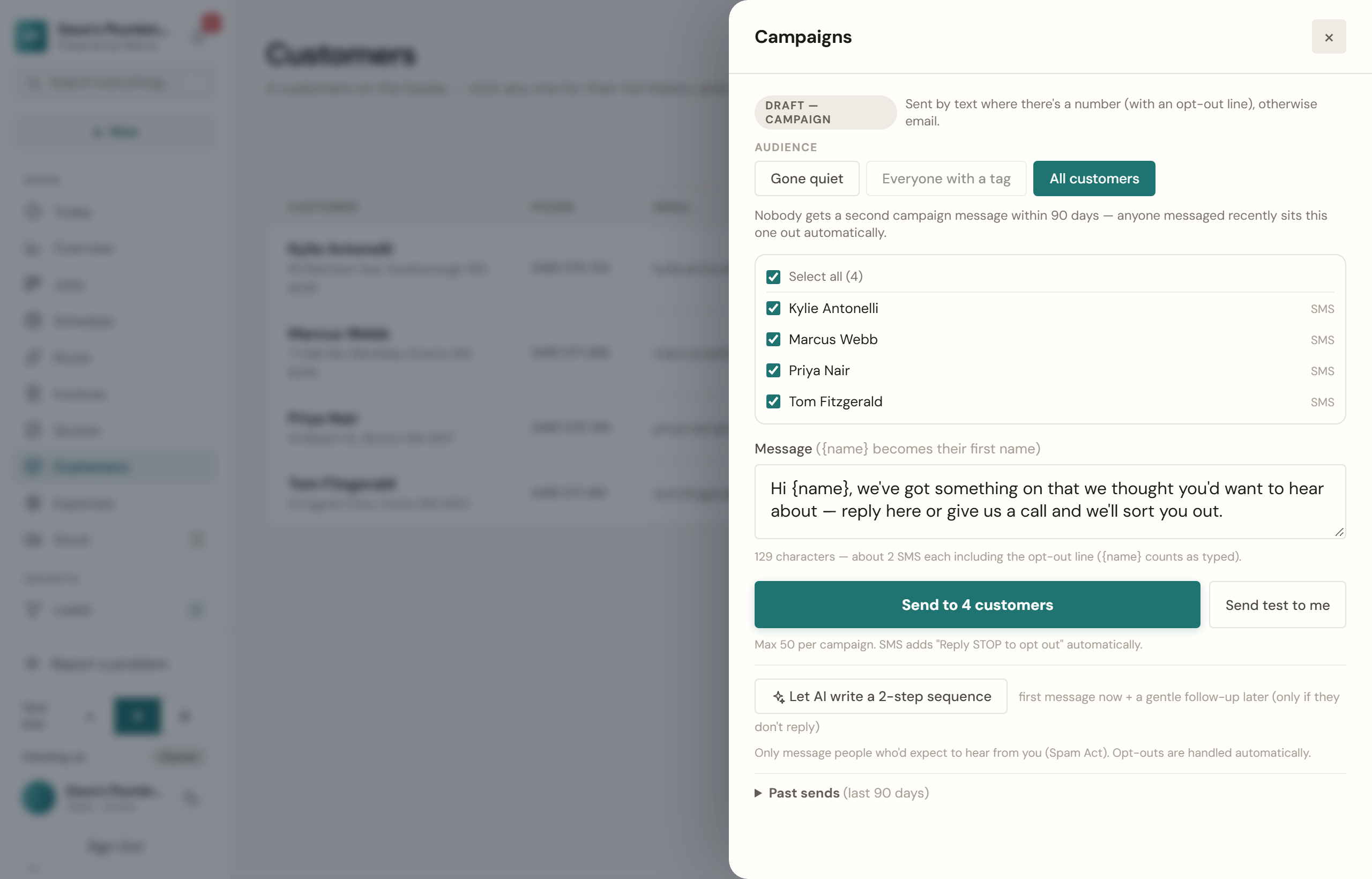
Anyone you sent a campaign in the last 90 days sits the next one out, and Past sends lists what went.
A two-step campaign
Let the assistant write a first message and a follow-up from what you want the campaign to do. You read both and change anything. When you approve it, the first message goes now, and the follow-up goes by itself 3 to 14 days later (you choose) to anyone who has not booked or come back in the meantime.
Before you press send
Campaign texts come out of your monthly texts (see Texts). If a campaign would need more texts than you have left this month, nothing is sent and the screen says how many can still go.
Only the owner sends campaigns.